How it works
The pdrLoader is a highly configurable multi-threaded application which facilitates loading of data from various source protocols and formats into a relational data store.
While the installations templates AEMO provides are targeted at specific market system interaction uses cases, the application is generic and participants have the capability to provide configuration to suit their specific requirements.
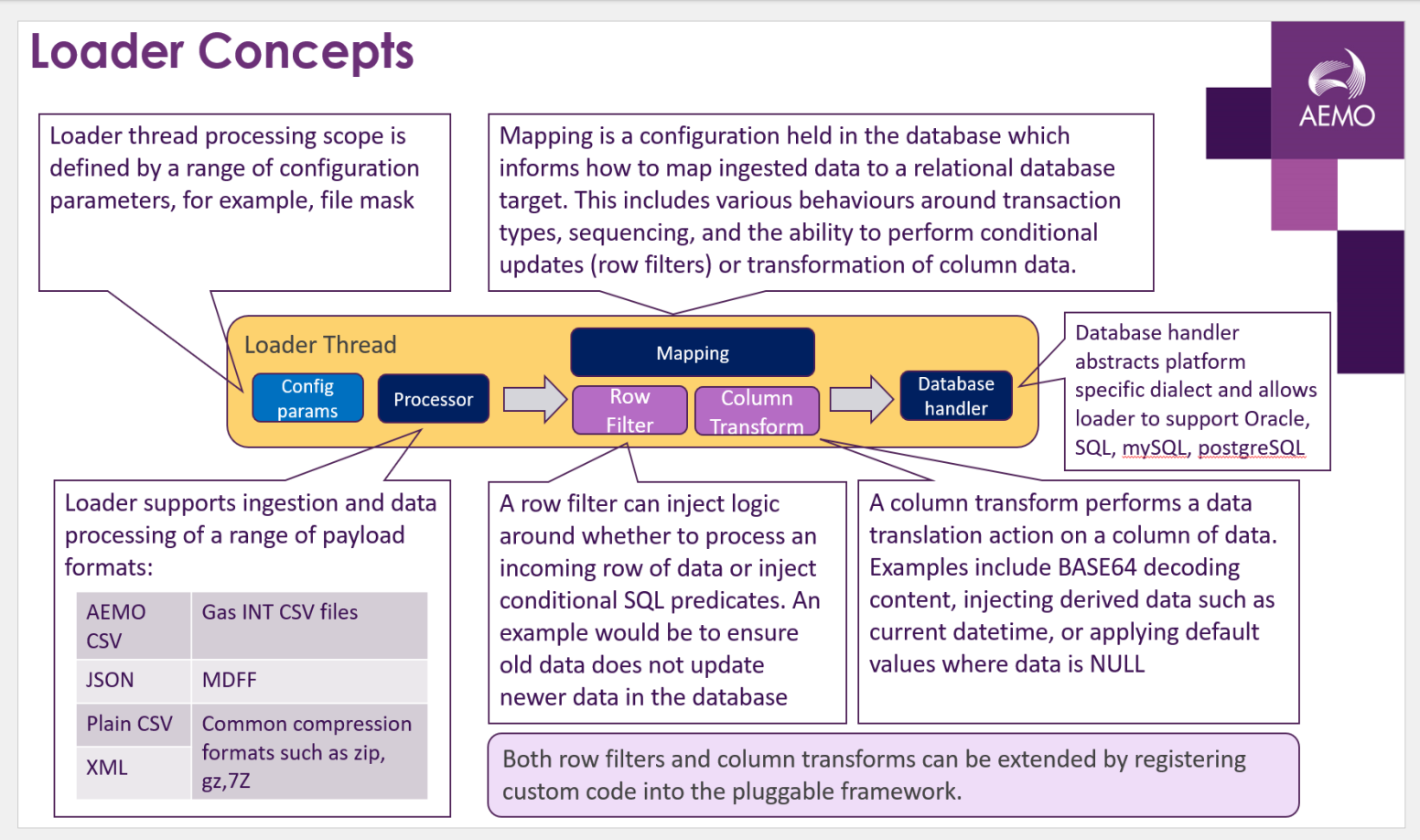
The figure below provides an overarching summary of the pdrLoader application architecture and capabilities.
In terms of interacting with the NEM wholesale systems, the pdrLoader application polls a local directory and processes data from files into the local database conforming to the Data Model. If the recovery features are enabled, periodically the pdrLoader application sends a manifest request file to AEMO regarding the data state within the database. AEMO sends a manifest report in response to the request. pdrLoader compares the manifest report with the local database to identify any missing data, and, if necessary, sends a request to AEMO for any missing files. The catching-up process is at a lower priority than normal file handling.
The application design of the pdrLoader is a state machine with the file locations controlling the state. This means, on restarting after a stop for any reason, the application automatically recovers by using the stored state in the local directories. Each of the local directories contains the results of the file processing, and a process in the application periodically moves files to the appropriate directory.
The design of the pdrLoader application assumes the access to the local directories is highly reliable and efficient. Hence, the recommendation is to set up the structure of the application with the local directories hosted on the machine running the application. If space is a problem, the recommendation is to use an ancillary process to empty the various local subdirectories by move or delete.
The application design of the pdrLoader uses several tables in the database for control, mapping and audit. Each CSV record updates the database according to the entries in the set of tables starting with PDR Setup.